M64Plus FZ Pro Emulator
Francisco ZuritaArcade
4.8678.00 Reviews
- Version
- 3.0.332 (beta)-pro
- Installs
- 100.00K
- Age Rating
- Everyone
Screenshots
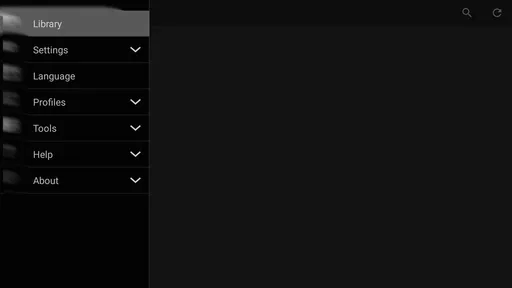
Our Review of M64Plus FZ Pro Emulator
 Analysis by Appyee
I approached M64Plus FZ Pro as more than a way to launch older games. It is an arcade-focused emulator for a certain 64-bit console, created by Francisco Zurita, and its most interesting promise is the combination of classic console play with online cloud backup. That immediately makes it appealing to people who want to revisit a familiar library without being tied to one phone or tablet.
My overall impression is positive, but it depends heavily on what you expect from an emulator. This is not a modern arcade game with its own content waiting on the home screen. It is a tool for running games you already have the right to use, and the quality of the experience can vary according to the game, the device, the controller and the way you configure it. When those pieces line up, it can feel remarkably convenient. When they do not, the setup can become more demanding than a normal mobile game.
The app costs $3.99, is rated for Everyone, and works from Android 6.0 onward. It has reached over 100 thousand installs, with an average of 4.8 from around 13 thousand ratings and 678 reviews. Those figures suggest that it has found a committed audience, especially among people who already understand what an emulator does and why a paid version may be preferable to a basic alternative.
How clearly the app works for different users
I find that the app’s flexibility matters most when people bring different expectations and hardware to the same emulator: one player may want quick touch play, while another needs a controller and a larger screen. A useful next step is to decide which setup you can repeat comfortably, rather than assuming every option will suit every session. That makes it easier to judge where the app’s practical strengths—and its limits—show up.
Readability and navigation during setup
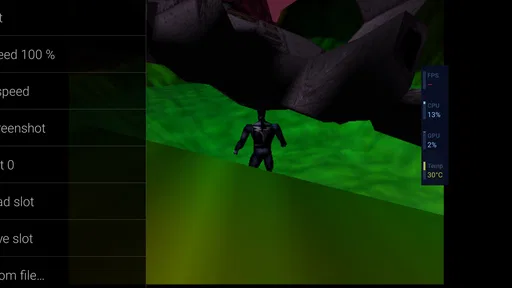
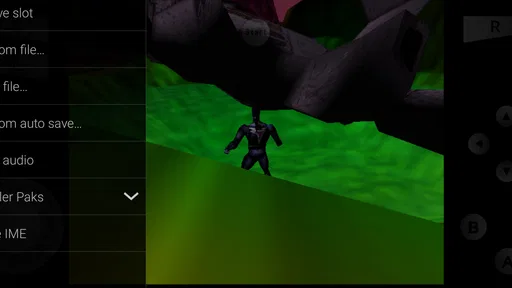
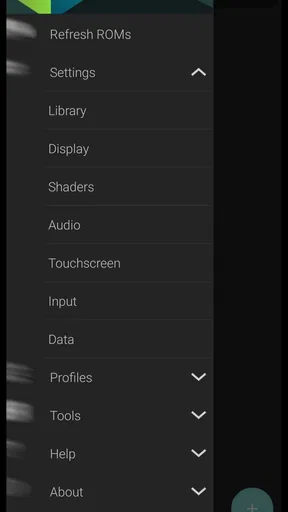
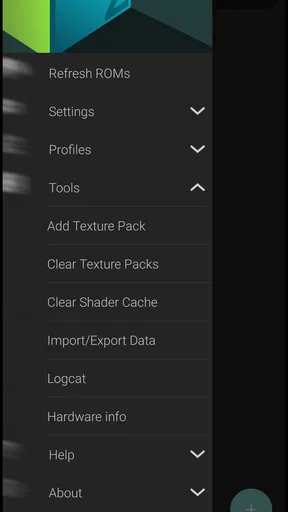
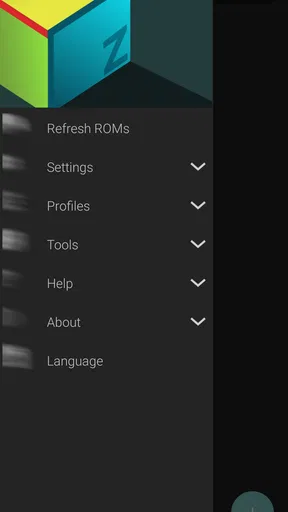
The first accessibility question is not whether an old console game looks good on a phone. It is whether a person can understand the emulator’s menus without feeling lost. In my experience, that is where expectations need to be realistic. An emulator exposes more choices than a conventional mobile game: game selection, controller behavior, display preferences, save handling and other technical settings. That flexibility is useful, but it can make the first session feel less direct.
I recommend treating the first launch as a setup session rather than trying to play immediately. Start with one game, confirm that it opens correctly, and only then adjust controls or display behavior. This simple order matters because changing several options at once makes it difficult to know which change helped or caused a problem. For someone who prefers clear, guided interfaces, the number of emulator-specific decisions may be the main obstacle.
The app’s identity is fairly clear once you understand the category. It is an Android arcade emulator, not a general-purpose media app and not a replacement for a game store. That distinction helps avoid a common disappointment: installing it and expecting a ready-made collection of games. The software is the playback environment; the user still needs to handle their own legally obtained game files.
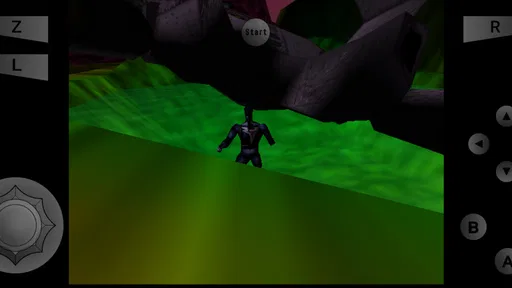
For readers with reduced vision, a phone screen can make small interface elements and on-screen controls harder to inspect. A larger display may be more comfortable than a compact handset, especially during configuration. I also find that landscape orientation is usually the more practical starting point for console-style play because it leaves more horizontal room for the game image and virtual controls. The trade-off is that touch buttons may still occupy part of the picture, so screen size alone does not solve every readability issue.
One useful habit is to keep the initial layout simple. Before experimenting with advanced adjustments, I would check whether the game image is easy to follow, whether the controls are visible against the action, and whether menus can be reached without accidentally pressing a game button. This is a small but important distinction: a configuration that looks tidy in a quiet menu can become visually confusing once several characters, effects or fast-moving objects appear on screen.
Touch controls, controllers and motor comfort
Virtual controls make the app usable without extra hardware, but they are also the area where motor comfort varies most. Touch buttons do not provide the physical separation or tactile feedback of a controller. For slow exploration, occasional play or turn-based moments, that may be acceptable. For games that demand repeated directional changes, precise timing or several buttons at once, the same layout can become tiring and error-prone.
I would not judge the emulator solely by how it feels with touch controls. A phone held in both hands can work for short sessions, but long play may require an awkward grip, particularly if the virtual buttons sit close together. People with limited dexterity may find that accidental presses are more frustrating than the game itself. In that situation, an external controller is the more sensible choice if the device and controller combination are already comfortable for them.
This is also where the paid edition’s value should be considered carefully. Paying for the app does not automatically make touch input physically accessible. The purchase is more attractive to someone who wants a dedicated emulator experience and plans to use it regularly, perhaps with a preferred controller. It is less compelling for someone who only wants a quick, occasional nostalgia session and expects a perfectly comfortable touch layout without adjustment.
A practical workflow is to test a short section of a game before committing to a long session. Check whether your thumb can reach the buttons without covering important parts of the image, whether repeated presses cause strain, and whether you can pause without shifting your grip. If any of those points fail, changing the control arrangement or moving to a physical controller is likely to help more than changing graphics settings.
Another consideration is hand position. Holding a phone while also depending on small virtual buttons can be difficult for users who need both hands for stability or who cannot sustain a firm grip. A stand can reduce the need to hold the device, but it may make touch controls less convenient. A controller can solve the input problem while introducing its own pairing and storage considerations. There is no universal best arrangement, so the app is most inclusive when the user has room to choose their hardware.
Different settings and everyday situations
The strongest situational use case is moving between devices. The online cloud backup is valuable when I want progress to follow me rather than remain trapped on one handset. For example, I might play during a commute on a phone, then continue at home on a larger Android device. That kind of continuity is more useful than it sounds because emulator sessions are often interrupted: a battery runs low, a trip ends, or a person simply wants a bigger screen later.
Cloud backup should still be treated as a convenience rather than an excuse to ignore local habits. I would make sure a save has completed before changing devices and avoid assuming that every transition is instant. The safest routine is to finish a session normally, allow the app time to handle the backup, and then confirm the game state on the second device. This is especially important for anyone who relies on games as a relaxing routine and would be discouraged by losing progress.
The app can also suit different energy levels. A person may use it for a short break with touch controls, then switch to a controller for a longer evening session. Someone with visual fatigue may prefer a larger screen at home, while another user may value the phone because it is easier to position close to their preferred viewing distance. The emulator itself does not guarantee that every context will be comfortable, but its role as a portable player gives users more ways to choose the setting that works for them.
Sound and surroundings matter too. In a quiet room, classic game audio can be enjoyable, but in public spaces it may be distracting or inappropriate. Headphones can make the experience more private, although some users cannot or do not want to wear them. If audio cues are important in a particular game, playing without sound may change how easy it is to react. I would therefore test the game in the actual environment where I expect to use it rather than judging it only at home.
For families, the Everyone age rating makes the app broadly approachable, but the rating should not be confused with effortless family use. Parents or guardians may still need to explain where game files come from, how saves work and why emulator settings should not be changed randomly. A child who expects a normal game launcher may find the technical side confusing. An adult who sets up the basics first can make the experience much smoother.
How it compares with ordinary alternatives
Compared with a standard mobile arcade game, this app offers less immediate gratification and more control. A typical arcade download opens into its own content, teaches its rules and expects the player to use a fixed interface. M64Plus FZ Pro instead depends on the user’s existing library and willingness to manage an emulator environment. That makes it a poor substitute for someone who simply wants a five-minute game with no preparation.
Compared with a free emulator, the $3.99 purchase is easier to justify for someone who values cloud backup and wants a more focused experience without treating the app as a disposable experiment. However, the paid label should not be read as a promise that every title will behave identically or that setup will be effortless. Emulation is affected by the particular game and hardware combination, so a user who needs absolute consistency may prefer an official modern release when one exists.
Compared with playing on original hardware, the phone is more portable and potentially easier to integrate into daily life. It can also be more convenient for switching between locations. The original console, on the other hand, provides physical controls and a more authentic setup for people who care about the feel of the hardware. I see this app as a practical companion for access and portability, not as a perfect replacement for every part of the original experience.
Compared with a broad emulator that targets many systems, this app’s narrower focus can be an advantage. There are fewer unrelated platforms competing for attention, and the purpose is easier to understand once the user knows which console family it supports. The compromise is that it will not satisfy someone who wants one application for a wide range of different systems. Choosing it makes the most sense when this particular 64-bit console is the main reason for installing an emulator.
Barriers that remain after configuration
The largest barrier is technical ownership. Users need appropriate game files, and the app does not remove the legal or organizational responsibility involved in obtaining and managing them. Anyone unfamiliar with file handling may find this more difficult than installing a normal game. That is not a flaw unique to this product, but it is central to the decision and should be understood before paying for it.
Another barrier is that performance and compatibility are not identical across devices or games. I would avoid promising myself that one successful launch proves everything will work perfectly. A sensible approach is to begin with the title I most want to play, test it for a meaningful session and only then build a larger library around the app. This prevents spending time organizing files for games that may not suit the device or control method.
The current version is 3.0.332 (beta)-pro, which signals that users should be comfortable with the possibility of a version identified as beta. That does not tell me that it is unusable; it does tell me to be patient when a setting behaves differently than expected and to keep sensible save habits. People who dislike troubleshooting may be happier with an official port or a conventional mobile release, even if that option offers less flexibility.
Cloud backup also has a human-factors barrier: it can create confidence that is greater than the user’s actual understanding of the process. If a person changes devices frequently, forgets which account or location holds a save, or assumes that every state is synchronized immediately, the feature may feel unreliable even when the problem is workflow. I recommend using a consistent device routine and checking progress after the first transfer rather than waiting until a valuable save matters.
There are sensory barriers as well. Fast action, small interface elements, screen glare and crowded virtual controls can affect users differently. The app’s Everyone rating does not mean that every game is visually or physically easy for every person. A larger screen, adjusted brightness, a stable stand, a controller or shorter sessions may improve access, but those solutions depend on what the user already owns and finds comfortable.
Who should install it, and who should skip it
I would recommend M64Plus FZ Pro to a person who already has a legitimate collection for the supported console, wants to play on Android and appreciates the possibility of carrying progress between devices. It is also a good fit for someone who enjoys adjusting an emulator until it feels right, rather than expecting a fixed console-like appliance. The paid price is modest enough to make sense for regular use, particularly if cloud backup is part of the reason for choosing this edition.
I would be more cautious about recommending it to someone who has never used an emulator and only wants instant entertainment. The need to manage game files, understand settings and accommodate touch-control limitations can make the first experience feel like work. A regular mobile arcade game is better for that person. Likewise, anyone whose priority is a completely predictable, officially supported experience should look first for an official port or modern re-release.
It may also be the wrong choice for a user who needs strong tactile input but cannot use an external controller. Touch controls are a useful fallback, not a guarantee of comfortable access. Before buying, I would honestly consider how long I expect to play at a time, whether I can use a larger screen and whether my hands can reach the required buttons without strain. Those questions are more important than the high average rating because physical comfort is personal.
An inclusive verdict for real-world use
My final view is that this is a capable and focused emulator whose accessibility comes mainly from flexibility. It can travel with the user, support different screen arrangements and make cloud-backed progress practical across devices. Those strengths are meaningful for people who want to choose their own hardware and playing context rather than remain tied to an original console.
At the same time, flexibility shifts responsibility to the user. Menus require patience, touch input may not suit demanding games, and the quality of the experience depends on the game files, device and chosen controls. The beta-pro label reinforces the need for sensible expectations and regular save discipline. I would not present it as effortless or universally comfortable.
The best reason to choose M64Plus FZ Pro is control over the way you play, not just access to old games. If you are willing to handle the setup and have a supported Android device, it offers a convenient bridge between classic console software and modern portable use. If you need a one-tap game, fixed controls or guaranteed comfort without adjustments, a conventional mobile title or official release will probably serve you better.
Verdict
Strengths of M64Plus FZ Pro Emulator
- Accurate Nintendo 64 emulation with strong game compatibility.
- Supports save states, cheats, and multiple controller layouts.
- Offers customizable graphics, audio, and performance settings.
- Works with physical Bluetooth and USB game controllers.
- Pro version removes ads and adds useful advanced features.
Limitations of M64Plus FZ Pro Emulator
- Requires legally obtained ROM files; games are not included.
- Some titles may need per-game settings or graphics plugins.
- Performance can vary significantly between different Android devices.
- Touchscreen controls are less comfortable for extended gaming sessions.
- The large number of settings may overwhelm first-time emulator users.
Other Releases by Francisco Zurita
View All
M64Plus FZ Emulator
Arcade4.7
Similar Picks in This Category
View All
Subway Surfers
SYBO Games4.6

Stickman Party 234 MiniGames
PlayMax Game Studio4.6

Subway Princess Runner
Ivy4.4

Temple Run
Imangi Studios4.2

Zombie Tsunami
Mobigame SAS4.6

Stack Ball - Crash Platforms
CASUAL AZUR GAMES4.5
Frequently Asked Questions
What is M64Plus FZ Pro Emulator, and which games can it run?
M64Plus FZ Pro Emulator is an Android Nintendo 64 emulator designed to run compatible N64 game files on modern phones and tablets. It supports many well-known titles, including platformers, racing games, and multiplayer classics, although compatibility can vary from one game to another. You must legally obtain your own game files, as the emulator does not provide copyrighted games for download.
Does M64Plus FZ Pro Emulator require a powerful Android device?
The application can run many Nintendo 64 games smoothly on mid-range and high-end Android devices, but performance depends on the specific game, processor, graphics hardware, and selected plugin settings. Some demanding titles may need adjustments to resolution, frame rate, or graphics plugins. Older or entry-level phones can experience slowdowns, audio glitches, or occasional crashes.
What is included in the Pro version compared with the free version?
M64Plus FZ Pro generally offers additional features beyond the standard edition, such as enhanced customization, improved management options, and a more complete experience for frequent emulator users. Exact features can depend on the current release. Before purchasing, check the Google Play listing because included tools, supported plugins, and availability may change through updates.
Can I use controllers, save states, and multiplayer with the emulator?
Yes, M64Plus FZ Pro Emulator supports customizable touch controls and can work with many compatible physical controllers, making longer gaming sessions more comfortable. It also includes practical emulator features such as save states and configurable controls. Multiplayer support may depend on the game, controller setup, device compatibility, and whether the title supports local or emulator-based multiplayer correctly.
Is M64Plus FZ Pro Emulator legal and safe to download?
The emulator itself is intended to provide the software environment needed to play Nintendo 64 games, but downloading or sharing copyrighted ROMs without permission may be illegal in your country. For safety, install the app from a trusted official store and obtain game files only from legitimate sources. Avoid modified APKs, since they may contain malware or unwanted permissions.
Play our best games!


